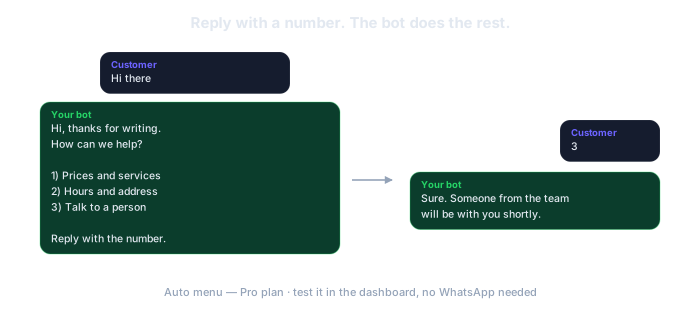
Lunch rush is also WhatsApp rush: "what are the specials?", "are you open?", "where are you?". ResumiBot answers with a numbered menu, 1) Today's specials 2) Place an order 3) Hours and location. Option 2 hands the chat to a person; everything else answers itself, during service and after you close.
No card. The free plan is permanent: 5 groups and 50 AI calls a month.
The same answer typed forty times while the kitchen is on fire. Type it once in the morning; the bot sends it to whoever asks.
On a Monday, at 3 p.m., on a holiday. Set your hours per weekday: the menu answers while you are open, the away message after you close.
Between twenty "are you open?" messages there is one real order. The menu separates it: whoever picks "Place an order" is handed to a person who takes it.
One click and the three options are ready to edit: specials, order, hours and location. Up to 9 if you want delivery zones or payment methods too.
Edit option 1 in the morning and every customer who asks reads today's dishes. Test it in the simulator before service starts, without touching WhatsApp.
The bot pauses in that chat and alerts you on WhatsApp. Whoever takes orders writes back from there. No order is taken by a machine.
The dashboard is in Spanish for now (your browser can translate it, but it is Spanish). The bot itself writes in the language you choose under "Voz del Bot" (bot voice), so your summaries arrive in English. We would rather tell you here than after you sign up.
A customer writes at 11 p.m. about tomorrow's lunch. The away message tells them when you open and how to leave the order. Whoever writes for the first time also gets your welcome. Slammed and need an hour? !bot ausente 1h Kitchen is full, back at 2 and the bot says it for you.
ResumiBot connects to WhatsApp through an unofficial channel. WhatsApp can permanently block a number it detects as automated, so never connect your personal number. A cheap prepaid SIM, an eSIM or an old phone with its own line works fine.
Do not connect the number printed on your menu or your door. If it gets blocked, you lose it. A new number, dedicated to the bot, that you give customers from now on.
If that number ever gets blocked, you lose that number and nothing else: your account, your groups and everything the bot produced stay here.
How to get a number for the botThe menu, business hours and away message are on the Pro plan ($19/month). The free plan summarizes groups; it does not serve customers.
Templates, submenus, "talk to a person" and the simulator to test it before service. Pro plan.
One message to the bot and everyone who writes in the next hour gets your "back at 2". Pro plan.
Your introduction for whoever writes first, your hours per weekday, your message after closing. Pro plan.
No. When a customer picks "Place an order", the bot pauses in that chat and alerts you; a person takes the order from there. What goes into the kitchen is confirmed by a human.
Yes. Option 1 is a text you edit from the dashboard whenever you want, and the simulator shows you exactly what customers will read.
By default the menu only works in one-on-one chats, so it never floods a group. You can extend it to groups from the dashboard if you want.
The free plan is permanent and asks for no card. If it is not for you, you just stop.
Try it freeAsk us on WhatsApp · A person answers, not a bot.